> For the complete documentation index, see [llms.txt](https://operations.clausebase.com/llms.txt). Markdown versions of documentation pages are available by appending `.md` to page URLs; this page is available as [Markdown](https://operations.clausebase.com/updates-april-2024/20-april-2024.md).
# 20 April 2024
## ClauseBuddy
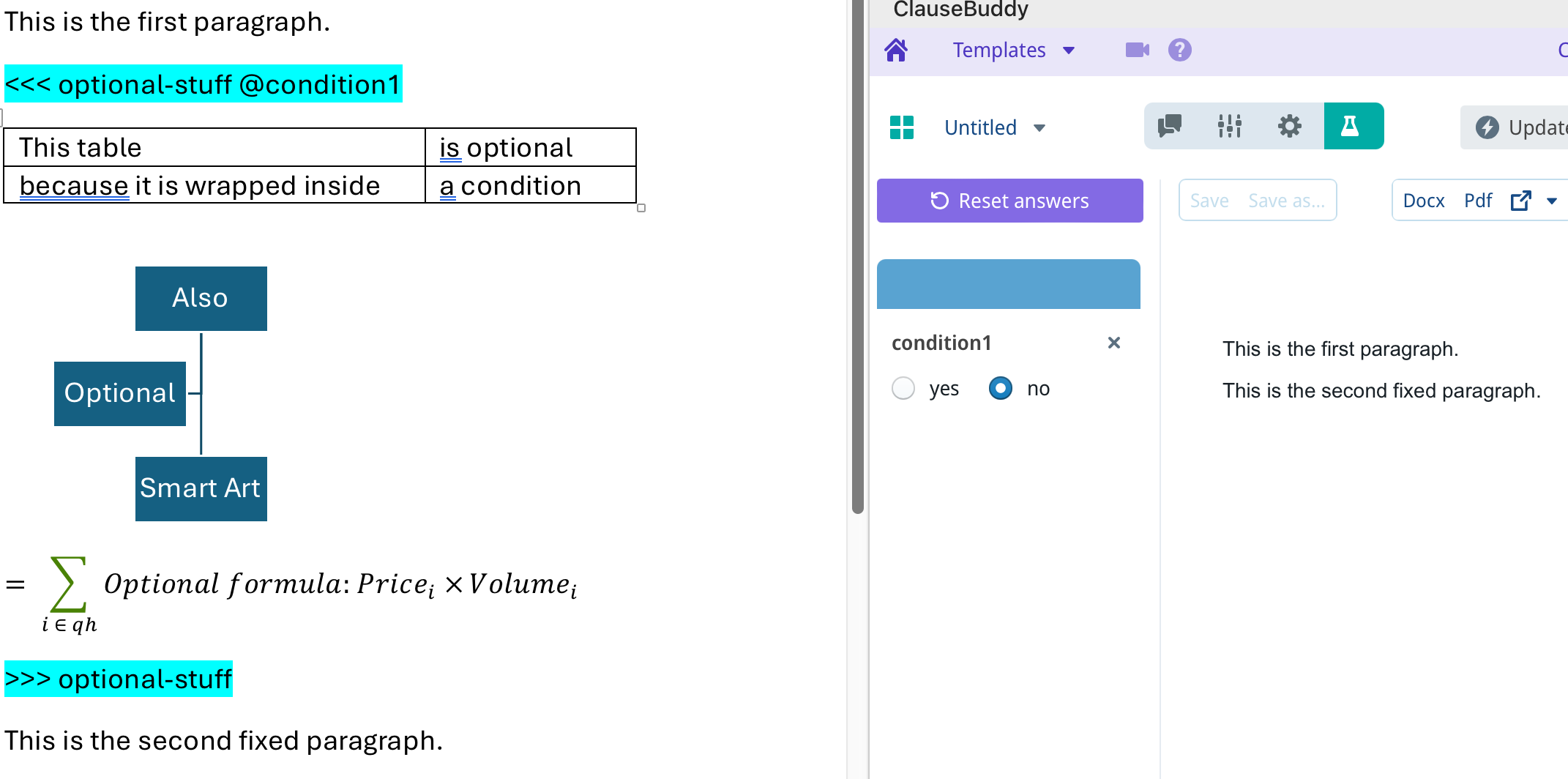
### Conditional rows, columns and sections (Smart Templates)
New feature ClauseBuddy now supports conditional rows, columns and sections in an MS Word file. This is a major upgrade to the conditionality system for Smart Templates, as it allows a new level of expressiveness in legal documents.
Each
See the [extensive documentation](https://help.clausebuddy.com/article/a0irling87-conditional-sections-rows-and-columns) on our help website.
***
## LLMs
### Multiple LLMs supported
New feature ClauseBuddy & Clause9 now support multiple Large Language Models (LLMs).
* The availability and priority of the LLMs can be configured by the administrator.
* The generation of tokens can be interrupted through "stop" buttons in the user interface.
* Claude3 & Mistral were added as options
***
## Q\&A
### Increased save delays
As our users are increasingly creating heavy Word-documents (particularly in ClauseBuddy), a slow transfer speed from ClauseBuddy/Clause9 to the server could sometimes cause a save error.
We have therefore increased the save delay to 30 seconds.
### Better comparison of tables
When asking for a real-time comparison between the previous and current version of a document (by alt-clicking or choosing "Show last changes), table rows are now also compared with each other. Previously, tables were considered as a whole in the comparison functionality, so that even a tiny change in one row would cause the entire table to be marked as being changed.
***
## Search
### Small optimisations
**Conversion to vectors:** The conversion of text to semantic "vectors" (as used in the background for clauses & truffles) is now improved for situatinos where words are present in multiple languages.
**Cut-off point & amount of results**: Small optimisations were made to how Truffles are being searched, e.g. the cut-off point was relaxed.
**Improved ranking of AutoSuggest results** in ClauseBuddy.
***
## Administration
### Personal search folders
When editing user settings, administrators will now see an option to add a personal search folder for a user. (Previously, this needed to be manually achieved through the *Search folders* panel of Clause9.)
### Single Sign On
SSO for ClauseBuddy is now also working with the Microsoft MyApps dashboard (and similar launching apps for SSO). Users can now click on such a link, authentica and retrieve access through the browser.
---
# Agent Instructions
This documentation is published with GitBook. GitBook is the documentation platform designed so that both humans and AI agents can read, navigate, and reason over technical content effectively. Learn more at gitbook.com.
## Querying This Documentation
If you need additional information that is not directly available in this page, you can query the documentation by asking a question.
Perform an HTTP GET request on the following URL with the `ask` and `goal` query parameters:
```
GET https://operations.clausebase.com/updates-april-2024/20-april-2024.md?ask=&goal=
```
`ask` is the immediate question: it should be specific, self-contained, and written in natural language.
`goal` is what the user is ultimately trying to achieve, the reason they need the answer. Sharing it helps GitBook give you a better, more relevant answer. A goal is most helpful when it describes the outcome the user wants rather than restating the question. For example, with `ask=how do I create an API token`, a goal like `automate deployments from our CI pipeline` lets GitBook tailor the answer to that use case.
The response will contain a direct answer to the question and relevant excerpts and sources from the documentation.
Use this mechanism when the answer is not explicitly present in the current page, you need clarification or additional context, or you want to retrieve related documentation sections.